How Do Design Systems Work? Technical System Logic
Neslihan Kara · Published: January 6, 2026 · 3 min read
When a design tool is opened, the screen usually presents a quiet, structured workspace. This surface may look simple at first, but it exists within a system that connects every action to a defined logic. Nothing moves randomly. Each decision is registered, organized, and preserved through technical rules. Within this structure, design systems function as the invisible layer that keeps the process consistent and controllable.
This text focuses not on how tools are operated, but on how their underlying systems function. The intention is not to instruct or guide step by step, but to clarify the logic that allows these systems to remain stable over time. When this logic becomes visible, the tools themselves begin to feel less complex and more predictable.
What Is a System?
From a technical perspective, a design tool is built around a defined space, the elements placed within it, and the rules that manage how those elements relate to one another. Every file exists inside these boundaries. Measurements, units, and alignment behaviors are established before any visual decision is made.
This structural approach aligns with how system-based interface logic is described in foundational interaction design concepts by Nielsen Norman Group.
This structure does not exist to limit creativity. Its role is to keep the process sustainable. Design systems organize not only the visible outcome, but also the sequence of decisions that lead to it. Each action is recorded in a way that allows it to be revisited or adjusted without breaking the overall structure.
Why Does This System Work This Way?
Design work rarely happens in a single moment. Files are opened, adjusted, closed, and returned to later. This ongoing nature explains why the system relies on strict logic rather than visual memory.
What appears on the screen as a simple adjustment—position, color, or scale—is stored as numerical data in the background. This allows the same file to behave consistently across different times and environments. Design systems depend on this data-based structure to protect continuity.The reliance on structured rules rather than visual memory reflects broader principles of consistency and interoperability defined by W3C specifications.
Without such logic, design files would exist only as temporary results. Instead, modern tools treat design as a living structure that remains editable and stable over time.
Which Structures Do Design Systems Control?
General settings form the foundational layer that determines how a design file behaves. These settings may feel minimal, yet they shape the system’s overall behavior.
- Workspace boundaries
- Measurement and alignment logic
- The relational structure between visual elements


How Do Design Systems Appear in a Real Tool?
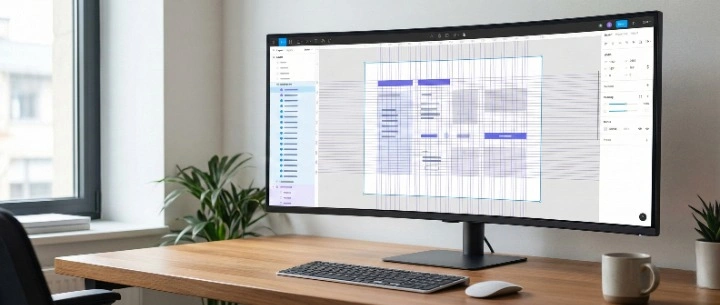
The structure described so far is not tied to a single application. Still, observing it within a real tool helps make the system more tangible. Figma offers a clear example.
When Figma opens, the first interaction is with a workspace. This reflects the system’s boundary logic in practice. Defined dimensions determine where the design begins and where it ends.
Each added element becomes its own layer. This layered structure demonstrates how the system divides complexity into manageable parts. Moving or hiding an element affects only its own data, leaving the rest intact. Through this modular approach, design systems preserve flexibility without sacrificing order.
What Do We Understand When We Look at the Whole Picture?
Design tools are not merely environments for visual production. They are technical systems that make decisions traceable and processes repeatable. Once this underlying logic is understood, the specific tool in use becomes less central.
Because design systems operate on shared principles regardless of interface, moving between tools becomes a matter of adaptation rather than relearning. Working within default settings, without forcing the system, allows the broader structure to remain clear.
What emerges is not an overly technical process, but a stable environment that supports continuity and control.