
7 min read
Figuring out which AI video generator to use got a lot more urgent when OpenAI pulled the plug on Sora in April 2026. If you were building workflows around it, you already know the sting. If you were still deciding whether to try it — that decision was made for you.
But here is the thing most “best of” lists won’t tell you: the tools that replaced Sora are not just alternatives. Several of them are genuinely better at what Sora was supposed to do. Longer clips. Native audio. Actual 4K output. Character consistency that holds across scenes.
This is not a list where every tool gets a polite nod. Some of these generators deserve your time. Others are riding the hype wave with nothing substantial underneath. Let’s sort through it.
Why Sora’s Shutdown Matters More Than You Think
OpenAI announced on March 24, 2026, that Sora would cease operations. Web and app access ended April 26. The API goes dark September 24.
The reason was brutally simple: economics. Sora’s operational costs were estimated at $8–12 million monthly, while subscription revenue barely reached $2 million. The math never worked.
But Sora’s real legacy is not the tool itself — it is the expectation it created. It showed millions of people that typing a sentence and getting a video was possible. That expectation did not disappear when Sora did. It just moved to every competitor in the space.
The result: a sudden, massive wave of users flooding into tools like Kling, Runway, and Veo — each of which had been quietly building features that Sora never shipped. Bloomberg covered this shift in detail, and the numbers confirm what anyone paying attention already suspected: the alternatives were already ahead.
The Tools That Actually Deliver
Not all AI video generators are created equal. After testing the major contenders with identical prompts across different use cases — character dialogue, landscape cinematics, product demos, and abstract motion — here is where things actually stand. If you want a broader framework for evaluating any AI tool before committing, this AI tool selection approach still holds up.
Kling 3.0 — Best Value, Best Motion
Kling came out of nowhere for Western audiences, but it has been the dominant player in China’s AI video market for over a year. Version 3.0, released in early 2026, added three things that matter:
- 4K output at native resolution
- Built-in lip-sync that actually tracks with dialogue
- Clips up to 3 minutes in a single generation — while most competitors cap out at 10–20 seconds
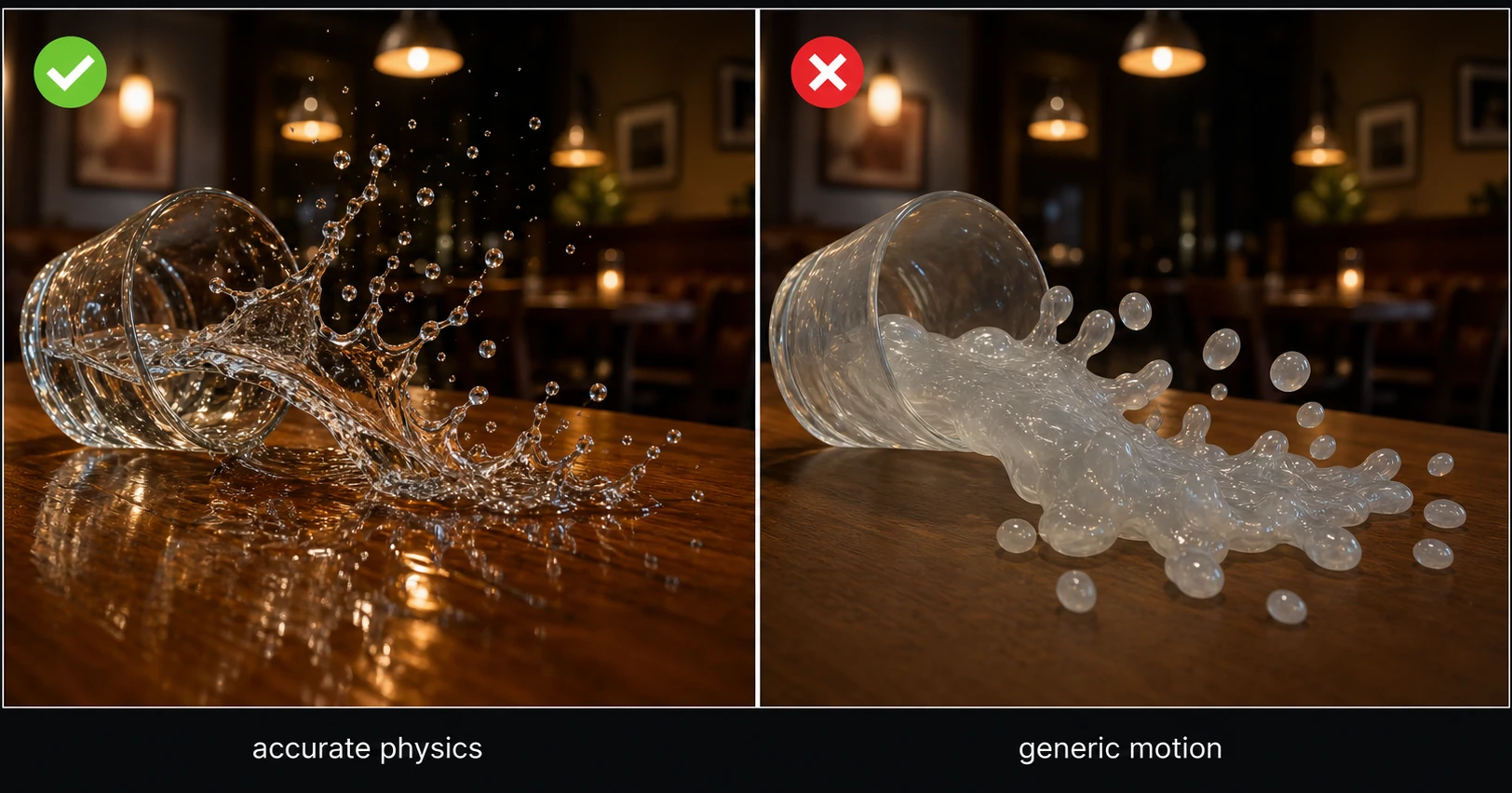
Where Kling really pulls ahead is motion physics. Objects fall convincingly. Water behaves like water. Camera movements feel deliberate rather than procedurally random. It scores an 8.1/10 on current benchmarks, with visual fidelity hitting 8.4 — the highest in the field right now.
The pricing is aggressive. Kling clearly wants volume, and for creators producing social content or short-form video at scale, the cost-per-clip economics make everything else look expensive.
Best for: Social media creators, short-form content, anyone who needs volume without sacrificing quality.
Limitation: The interface is still catching up with Western UX expectations. Prompt interpretation can feel different from what you would expect if you are coming from Runway or Midjourney.
Google Veo 3.1 — Best All-Around Quality
If you forced a single recommendation, Veo 3.1 would be it. Google has thrown serious infrastructure at this, and it shows.
The standout feature is native audio-video synchronization. Veo does not generate video and then slap audio on top. It creates both simultaneously, which means footsteps sound when feet hit ground, doors close when they visually shut, ambient noise matches the scene. This was research-paper territory 12 months ago. Now it is a production feature.
Other specifications that matter:
- True 4K at 3840×2160
- Up to 60fps output
- The strongest prompt adherence of any model currently available

Veo also offers a free tier, which is something Sora never did. For anyone experimenting or prototyping, that alone makes it worth trying before committing money elsewhere.
Best for: Filmmakers, anyone prioritizing realism and audio-visual coherence.
Limitation: Generation times are slower than Kling. If you need fast iteration, you will feel the wait.
Runway Gen-4.5 — Best for Creative Control
Runway has been in the AI video space longer than most competitors, and that experience shows in one specific area: control.
Where Kling and Veo give you impressive output from a text prompt, Runway gives you the tools to shape that output precisely. Motion brush lets you define exactly where and how elements move. Reference images maintain character consistency across generations. Camera controls let you specify dolly, pan, crane, and tracking shots.
For professional workflows — advertising, client work, branded content — this level of control is not optional. You cannot deliver a campaign where the main character looks different in every shot.
Gen-4 Turbo also deserves mention for its speed. When you need rapid iterations during a creative session, Turbo generates fast enough to maintain flow.
Best for: Agencies, advertisers, branded content, anyone who needs frame-level creative control.
Limitation: The pricing reflects the professional positioning. This is not the cheapest option for casual experimentation.
Seedance 2.0 — The Dark Horse
Built by ByteDance’s Doubao team (yes, the TikTok parent company), Seedance 2.0 launched in early 2026 and immediately turned heads.
The killer feature is “Identity Lock.” This maintains a person’s exact face across multiple scenes and camera angles — a problem that has plagued every AI video generator since the category existed. Other tools get close. Seedance actually solves it.
For image-to-video specifically, Seedance 2.0 is arguably the strongest model available. Upload a still photo and it generates motion that feels natural, not like a Ken Burns effect on steroids.
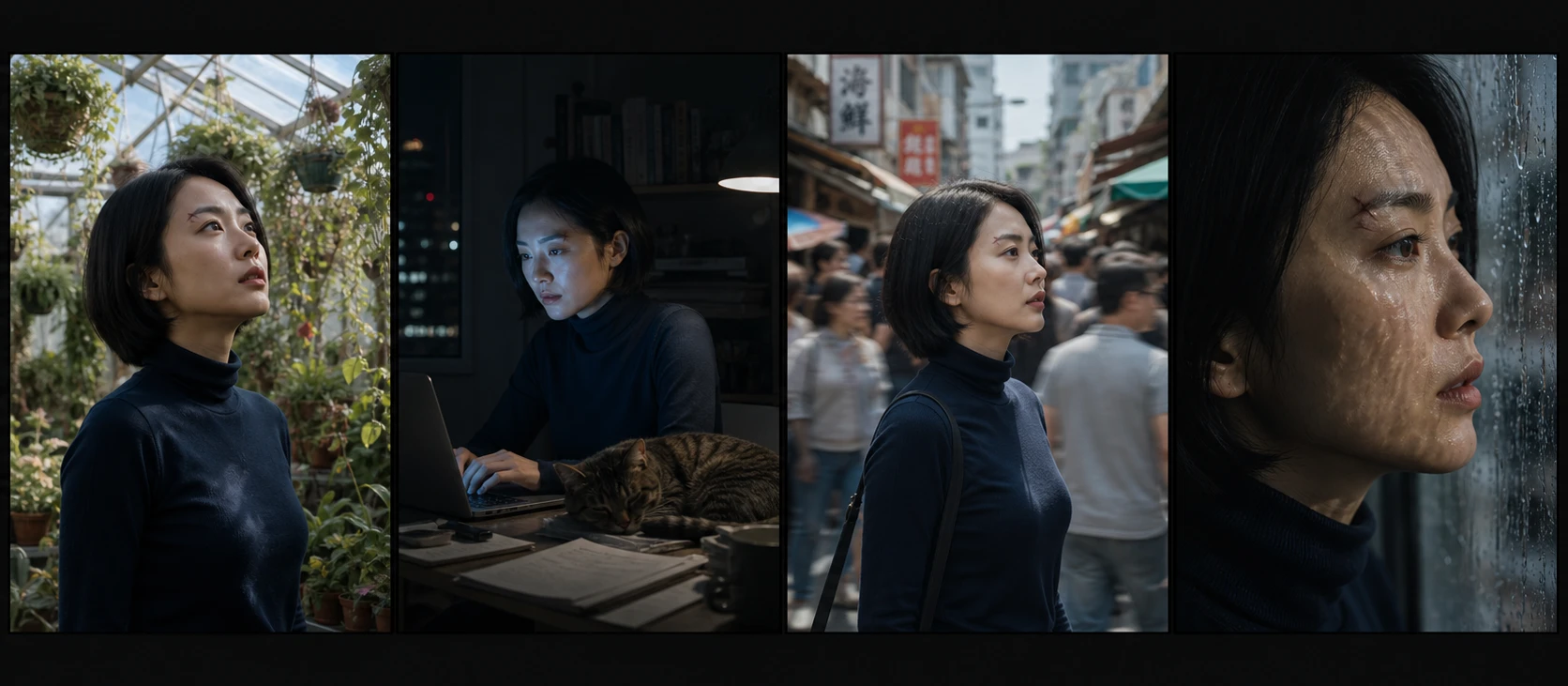
Best for: Character-driven content, storytelling, anyone working with consistent characters across scenes.
Limitation: Newer to the market, so the ecosystem (tutorials, community, plugins) is thinner than Runway or Kling.
Which AI Video Generator to Use for Your Workflow
| Feature | Kling 3.0 | Veo 3.1 | Runway Gen-4.5 | Seedance 2.0 |
|---|---|---|---|---|
| Max resolution | 4K | 4K (60fps) | 4K | 4K |
| Max clip length | 3 minutes | ~20 seconds | ~20 seconds | ~20 seconds |
| Native audio | Lip-sync | Full sync | No | Limited |
| Character consistency | Good | Good | Strong | Best |
| Creative control | Medium | Medium | Best | Medium |
| Speed | Fast | Slower | Fast (Turbo) | Medium |
| Free tier | Limited | Yes | Limited | Limited |
| Best use case | Volume + social | Realism + film | Ads + branded | Character stories |
Free Options That Actually Work
Not everyone has budget for premium AI video generators, and the good news is that 2026’s free options are not the afterthought they used to be.
DaVinci Resolve + free AI plugins offer a combined workflow where you edit traditionally but use AI for specific shots or effects. It is not fully generative, but it is practical and costs nothing.
CapCut’s AI features continue expanding. For short-form social content specifically, CapCut’s built-in AI tools handle auto-captions, background removal, and basic generative effects without requiring a separate tool. If you are building a YouTube-focused workflow and want to see how these tools fit alongside traditional editors, this breakdown of tools used for YouTube content creation covers that ground.
Veo 3.1’s free tier is the most capable free option for pure AI video generation. The output quality matches the paid tier — you just get fewer generations per day.
The honest assessment: free tools work for experimentation and occasional use. If you are producing content regularly, the paid tiers pay for themselves in time saved.
The Skill That Actually Matters Now
Here is what shifted in 2026 and most people have not caught up to yet: the core skill for working with AI video generators is no longer technical. You do not need to understand frame rates, codecs, or color science.
The skill is prompting.
A well-structured prompt — specifying camera angle, lighting mood, character action, and environmental detail — produces dramatically different results than a vague one. The gap between a mediocre prompt and a good one is often bigger than the gap between competing tools.
This matters because it means the tool you choose is less important than how well you communicate with it. A skilled prompter on Kling will outperform a vague prompter on Veo, despite Veo’s technical advantages.
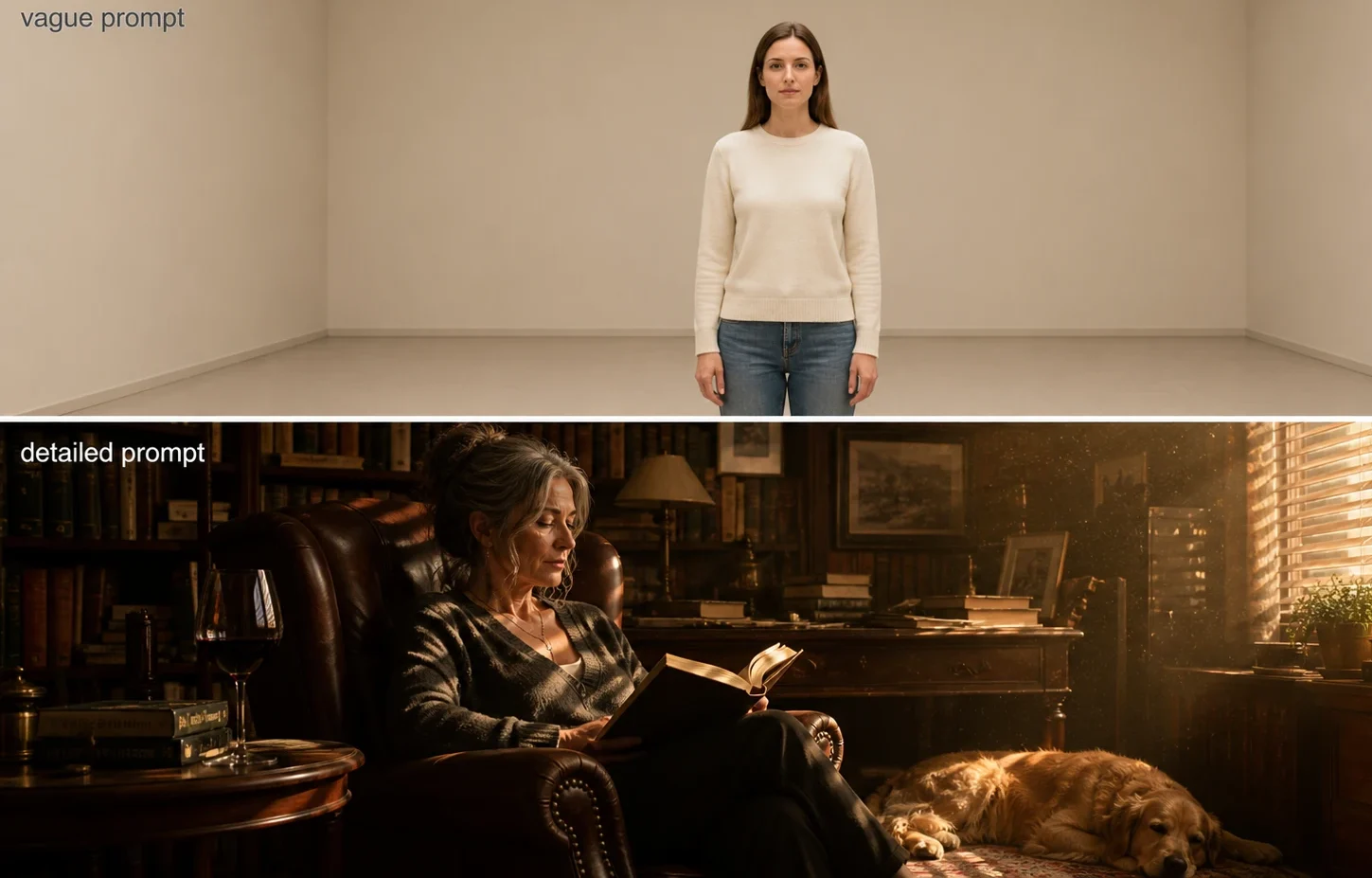
Some practical prompt principles that consistently improve output:
- Specify the camera — “medium close-up” or “wide establishing shot” gives the model something concrete to work with
- Describe lighting direction — “soft golden hour light from the left” beats “nice lighting” every time
- Define the action arc — “she picks up the cup, pauses, then turns toward the window” creates intentional movement
- Include environmental texture — “rain-wet cobblestone street” gives more to work with than “a street”
Where This Is All Heading
Four out of six major AI video models now generate synchronized audio natively. A year ago, zero did. That velocity of improvement is not slowing down.
The practical implication: if you are waiting for AI video to “get good enough,” you have already missed the window where early adoption gives you an advantage. The tools available right now produce output that would have been indistinguishable from professional footage two years ago.
That does not mean AI replaces traditional video production. It means the floor has risen. A solo creator with a strong prompt and Kling 3.0 can produce visuals that previously required a production team. An agency with Runway Gen-4.5 can iterate on concepts in hours instead of weeks.
The tools are here. The only question is whether you learn to use them now, while the space is still forming, or later — when everyone else already has.